Mon - Sat: 9:00 AM - 6:00 PM
Ergonomic Workspaces

How to Choose the Perfect Office Chair

An in-depth ergonomic guide to lumbar alignment, seat mechanics, and material longevity for productive workdays.

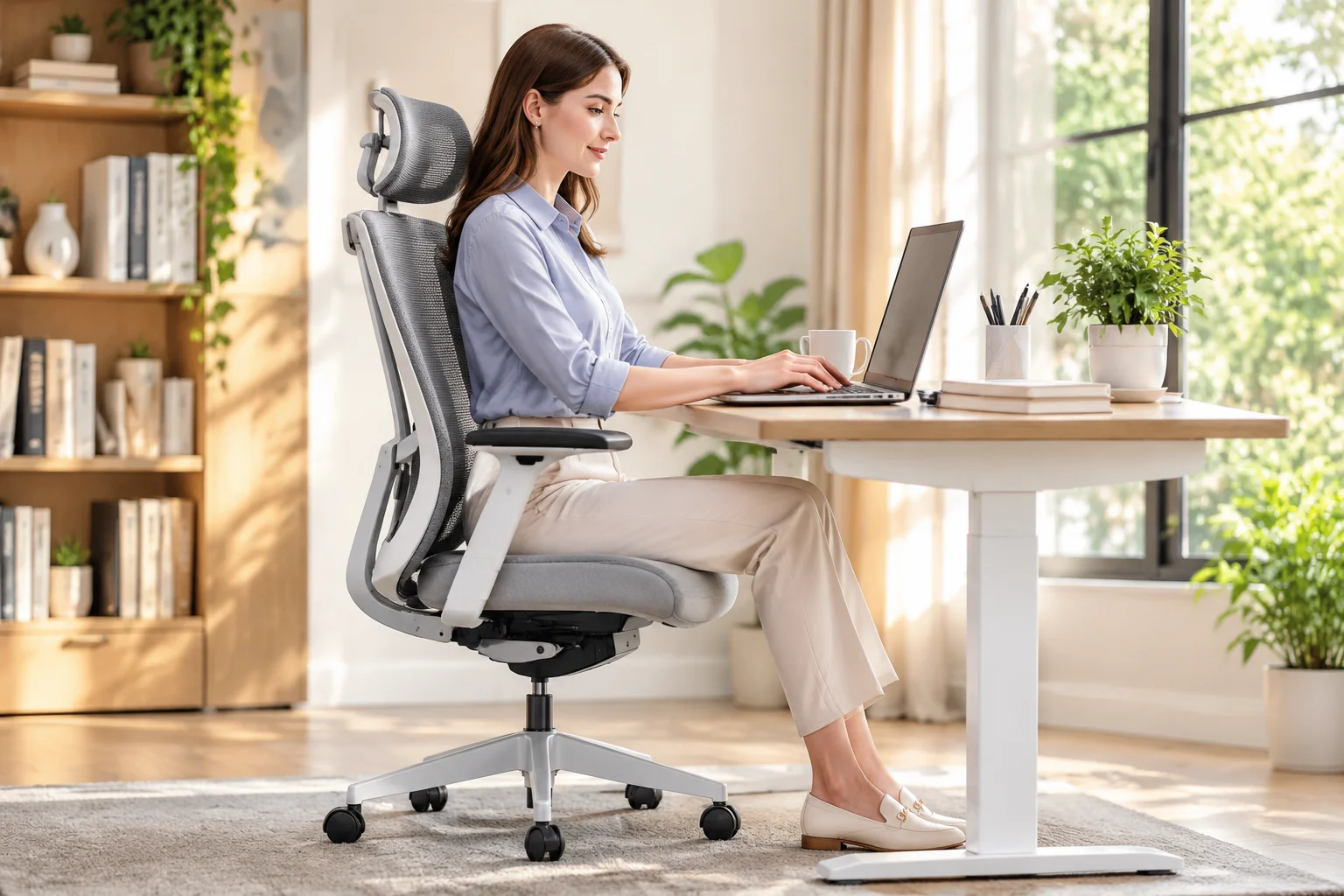
Professional woman sitting comfortably in an ergonomic office chair in a modern workspace
Engineering & Posture

Key Mechanical Benchmarks for Daily Seating

Sitting eight hours a day exerts immense hydrostatic pressure on lumbar vertebrae, making structural adjustability far more critical than mere aesthetics.

A standard desk chair keeps the pelvic bowl stationary while your spine curves into an unnatural C-shape. In contrast, calibrated ergonomic seating stabilizes the sacrum and activates the abdominal core. Investing in active backrest articulation prevents long-term postural fatigue while directly increasing daytime focus.

When evaluating workplace chairs, look beyond thick cushion foam. High-density cold-cured foam or responsive elastomeric mesh distributes body weight across the ischial tuberosities, preventing circulation cutoff along the posterior thighs.

Quick Specifications

Critical Ergonomic Benchmarks

90°–110°
Optimal Hip-to-Thigh Recline Angle
2–3 Fingers
Recommended Knee-to-Seat Gap
4D Pivot
Forearm & Shoulder Support
120,000+
Martindale Fabric Rub Count

Upgrade Your Home Office Workspace

Explore our curated line of pressure-tested ergonomic mesh and leather task chairs designed for long hours.

Five Essential Adjustability Features to Verify

The human body varies drastically in femur length, torso height, and shoulder width. A fixed-geometry chair forces your musculoskeletal system to compromise, inducing strain within cervical and lumbar regions.

High-performance chairs feature synchronous tilt mechanisms where the backrest reclines at a 2:1 ratio relative to the seat pan. This synchronized motion opens the hip flexors while keeping feet planted flat on the floor.

  • Independent Lumbar Depth and Height: Vertical adjustment tracks your L1-L5 lumbar curve, while depth adjustment prevents excessive forward pelvic tilt.
  • Sliding Seat Pan Depth: Allows you to slide the seat forward or backward, maintaining support under the thighs without compressing the popliteal crease behind the knees.
  • Multi-Directional Armrests: Four-dimensional arm pads adjust vertically, forwards, sideways, and rotate inward to relieve trapezius tension during typing.

Without these adjustability points, prolonged sitting forces unnatural compensations in wrist angles and upper spine slouching, resulting in chronic shoulder tightness by late afternoon.

Ergonomic comfort is not about passive softness; it is about dynamic structural support that moves effortlessly with your natural spinal articulation.

— Dr. Aris Vance, Clinical Biomechanist

Mesh vs. Foam vs. Leather: Selecting the Right Upholstery

Breathable elastomeric mesh remains a top choice for temperate climates and warm home offices, as continuous airflow dissipates latent heat and moisture. High-grade woven mesh maintains its tensile recoil over years of use without sagging or stretching out of shape.

For users who prioritize tactile contouring, cold-cured molded foam wrapped in breathable textile or top-grain leather provides uniform pressure distribution. Leather offers durability and stain resistance for executive suites, whereas fabric blends provide comfortable friction that stops clothing from slipping forward during upright typing tasks.

Essential Selection Checklist

  • Prioritize Dynamic Lumbar Support: Ensure the chair features independent height and depth knobs rather than a fixed plastic bulge.
  • Check Waterfall Seat Contouring: A curved front seat edge preserves continuous arterial circulation to your lower legs.
  • Verify Gas Lift Class Rating: Insist on a Class 4 pneumatic cylinder tested to support daily height transitions smoothly.
  • Match Casters to Flooring: Choose soft polyurethane wheel casters for hardwood floors and firm nylon wheels for dense carpets.
Michael Brown

Michael Brown

Senior Ergonomics Editor

Michael Brown has spent twelve years testing commercial seating, workplace biomechanics, and ergonomic accessories across North American offices and private studios.

Discussion

Reader Insights

Eleanor Vance
Eleanor Vance
Verified Buyer • 05/10/2026

The guide on 4D armrests and seat depth gap was an eye-opener. I adjusted my seat pan depth according to the two-finger rule and my lower back discomfort stopped almost immediately.

Julian Ross
Julian Ross
Store Concierge
06/10/2026

Delighted to hear that, Eleanor! Correct seat depth is often the most overlooked adjustment, yet it relieves tremendous hamstring and sciatic tension.

Leave a Response